Debug WebdriverIO Tests: logLevel
by Željko Filipin
tags: code · image · selenium · wikimedia
Estimated reading time is 1 minute.
Introduction
I wrote a blog post for my team blog at work. You can see the original post at Debug Selenium Tests: logLevel.
Environments
This tip works if you’re targeting:
- a local MediaWiki
- a remote wiki
- continuous integration
logLevel
Change logLevel in tests/selenium/wdio.conf.js from the default error to info.
tests/selenium/wdio.conf.jsexports.config = {
// Level of logging verbosity: trace | debug | info | warn | error | silent
logLevel: 'info'
};Run Selenium tests
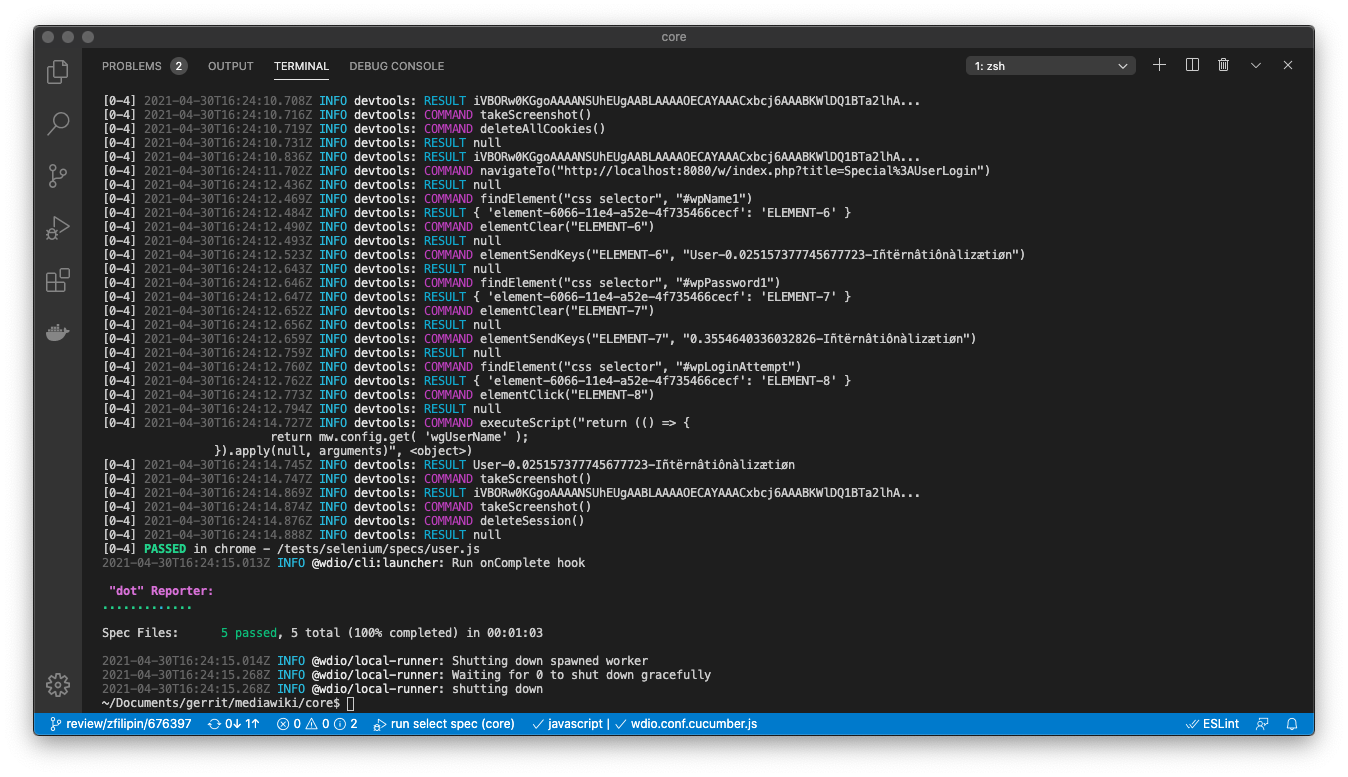
npm run selenium-testOutput will contain a lot of useful debugging information.
[0-5] 2021-04-01T15:03:41.952Z INFO devtools: COMMAND deleteAllCookies()
[0-5] 2021-04-01T15:03:41.965Z INFO devtools: RESULT null

[0-5] 2021-04-01T15:03:42.841Z INFO devtools: COMMAND navigateTo("http://localhost:8080/w/index.php?title=Special%3AUserLogin")
[0-5] 2021-04-01T15:03:43.554Z INFO devtools: RESULT null

[0-5] 2021-04-01T15:03:43.566Z INFO devtools: COMMAND findElement("css selector", "#wpName1")
[0-5] 2021-04-01T15:03:43.571Z INFO devtools: RESULT { 'element-6066-11e4-a52e-4f735466cecf': 'ELEMENT-6' }

[0-5] 2021-04-01T15:03:43.577Z INFO devtools: COMMAND elementClear("ELEMENT-6")
[0-5] 2021-04-01T15:03:43.584Z INFO devtools: RESULT null

[0-5] 2021-04-01T15:03:43.612Z INFO devtools: COMMAND elementSendKeys("ELEMENT-6", "User-0.7731870706237638-Iñtërnâtiônàlizætiøn")
[0-5] 2021-04-01T15:03:43.730Z INFO devtools: RESULT null

...

[0-5] 2021-04-01T15:03:45.928Z INFO devtools: COMMAND takeScreenshot()
[0-5] 2021-04-01T15:03:46.224Z INFO devtools: RESULT iVBORw0KGgoAAAANSUhEUgAABLAAAAOECAYAAACxbcj6AAABKWlDQ1BTa2lhA...
[0-5]
        Screenshot location: /Users/z/Documents/gerrit/mediawiki/core/tests/selenium/log/User-should-be-able-to-log-in-%40daily.png
More information
- MediaWiki documentation on running Selenium tests.
- WebdriverIO loglevel documentation.
- The code from this post is available as Gerrit patch 676397.
Feedback
Thank you for reading. If you want to stay in touch please use the feed or send me an email.